Finding the right app for a child with autism can feel overwhelming. There are hundreds of options across the App Store and Google Play, and many older recommendations are no longer available. This guide covers five highly rated apps that help children with autism communicate, recognize emotions, build social skills, and follow daily routines, with current pricing and platform details for each.


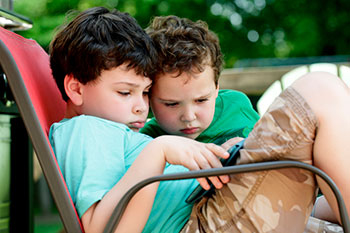
Smartphone apps have changed the landscape for children with autism and the families, teachers, and behavior analysts who support them. Gone are the days when augmentative and alternative communication (AAC) required bulky, expensive dedicated devices. A well-chosen app on a phone or tablet can open up entirely new ways for a child to express their needs, practice social skills, and build independence.
In today’s app market, the tools that have stood the test of time share a few things in common. They’re customizable. They work alongside therapy rather than replacing it. And they’re backed by developers with the resources to keep the apps running as iOS and Android evolve.
Here are five apps for autistic children that parents, caregivers, special education teachers, and applied behavior analysts have found useful.
1. Proloquo
Proloquo is one of the most significant new AAC apps to arrive in recent years. Built by AssistiveWare and launched in 2023, it was designed from the ground up using research and input from more than 10,000 AAC users. Apple recognized it with the 2023 App Store Award for Cultural Impact, the first AAC app to ever receive that honor.
What makes Proloquo stand out is its vocabulary system, called Crescendo Evolution. Rather than locking a child into a fixed set of symbols, it adapts to where the child is in their communication development, supporting users from the very beginning stages all the way through advanced communication. Core vocabulary words stay in consistent locations throughout the app, which supports motor planning and makes it easier for children to build muscle memory for communication.
The app comes paired with Proloquo Coach, a companion app designed specifically for caregivers, parents, and therapists. Proloquo Coach provides guided training so the people supporting a child can learn how to use the app effectively and model good AAC use. That’s a meaningful addition that many earlier AAC tools lacked entirely.
Proloquo is iOS and iPadOS only. For families working with speech-language pathologists or BCBAs, it’s worth asking your child’s team whether Proloquo fits into the current treatment plan before subscribing.
- Available for: iPhone and iPad
- Price: Approximately $9.99/month
- Download: App Store
2. Grace App for Autism
The Grace App was created by Lisa Domican, an Irish mother of a daughter with autism who wanted a picture-based communication tool that did more than just let a child point at a single image. The concept behind Grace is that a child builds a sentence by selecting a sequence of pictures, then shows or reads that sentence to the person they’re communicating with.
What sets Grace apart is that it doesn’t read the sentence aloud for the child. That’s intentional. The app is designed to encourage the child to communicate the sentence themselves, making it both a communication tool and a practice opportunity for verbal expression.
The app comes loaded with categories covering the basics: colors and shapes, food and drink, places, things I like, and things I need. You can add your own photos directly from the camera, so a child’s favorite toy, classroom, or familiar family member can become part of their vocabulary and grow with them over time.
A few practical notes: Grace is currently available on iPhone and iPad only, as the Android version was removed from Google Play. It’s priced at $39.99, and it last received a code update in 2019, though it remains available and functional on current iOS versions, and the developer’s website remains active, and Lisa Domican continues to offer workshops for families. The app holds a 4.6-star rating on the App Store and supports eight languages, including English, French, Spanish, and Arabic.
- Available for: iPhone and iPad
- Price: $39.99
- Download: App Store
3. Learn with Rufus: Emotions
Learn with Rufus: Emotions isn’t an AAC communication tool. It tackles a different challenge: helping children with autism learn to identify and name emotions in others.
Reading emotional cues in other people’s faces is a real challenge for many children on the spectrum, and it’s a skill that benefits from lots of structured practice. Dr. Holly Gastgeb, a clinical and developmental psychologist who specializes in ASD, designed the app with that in mind. Rather than just presenting a static set of emotion pictures, the app builds in difficulty over time, starting with expressions that are easy to read and gradually working toward subtler, harder-to-interpret cues.
Two games drive the learning. “Find It!” shows a child several facial expressions and asks them to identify a specific emotion, like sadness. “Name It!” reverses the task, displaying an emotion and asking the child to name it. Drawing breaks on a finger-painting canvas are woven in throughout, which helps hold the attention of younger children and non-readers.
Learn with Rufus: Emotions is available on iOS and Android and received a maintenance update in May 2023, making it one of the better-kept tools on this list at its price point.
- Available for: iPhone, iPad, and Android
- Price: $4.99
- Download: App Store | Google Play
4. iCreate Social Skills Stories
Social stories are a well-established tool in ABA and special education. They help children with autism understand what to expect in social situations and practice how to respond, using simple, structured narratives paired with visuals. iCreate Social Skills Stories puts that approach directly in the hands of parents, caregivers, and teachers.
The app lets you create custom social stories using photos, text, and audio. You can build a story around anything a child finds challenging: riding the school bus, greeting a friend, making eye contact during a conversation, asking for help in a store, or getting through a medical appointment. The ability to use real photos from the child’s actual environment makes the stories more concrete and relevant than generic illustrated examples.
Stories can include recorded audio, which is especially useful for children who aren’t yet reading. You can also record video prompts to show children modeling the desired behavior, a technique often used in ABA practice.
iCreate is available on iPhone and iPad and is actively maintained. It’s a flexible, clinician-friendly tool that works well as a complement to formal social skills instruction.
- Available for: iPhone and iPad
- Price: $9.99
- Download: App Store
5. First Then Visual Schedule HD
Routines are important for children with autism. A predictable schedule lowers anxiety, reduces transition-related difficulties, and builds independence over time. First Then Visual Schedule HD, developed by Good Karma Applications, is one of the most widely recommended visual scheduling apps currently in use.
The app is built around a simple, intuitive concept: show a child what comes “first” and what comes “next.” That clarity helps children understand the sequence of activities in their day without getting overwhelmed by seeing everything at once. From there, you can expand to full daily schedules with images, text, and timers for each activity.
You can load the app with photos from your camera roll, so activities look familiar rather than abstract. The app also includes a choice board feature, letting children make decisions between two or more options, which supports both communication and autonomy. Timer functionality counts down to transitions, giving children a visual heads-up before an activity ends.
For applied behavior analysts, First Then Visual Schedule HD supports the kind of visual supports and choice boards that show up regularly in ABA practice. It’s available on iPhone and iPad, consistently updated, and holds strong ratings on the App Store.
- Available for: iPhone and iPad
- Price: $14.99
- Download: App Store
Tips for Choosing the Right App
With hundreds of autism apps on the market, it’s worth knowing what to look for beyond the app description.
Check the last update date. An app that hasn’t been updated in two or more years may have compatibility issues with newer devices, and there’s no guarantee it’ll stay available. For nonverbal children who rely on an app as their primary communication tool, that’s a meaningful risk.
Involve your child’s therapy team. A speech-language pathologist or BCBA can help match an app to your child’s specific communication profile and make sure it supports, rather than conflicts with, the goals in their treatment plan. What works well for one child may not be the right fit for another.
Start simple. Especially for younger children or those just starting with AAC, simpler tools with fewer options are often more effective than feature-rich apps. You can always grow into more complex tools over time.
Look for customization. The best apps let you use real photos, adjust difficulty, and build a vocabulary that reflects your child’s actual life. Generic symbol sets have their place, but personalization makes a meaningful difference in how readily a child engages with a tool.
Frequently Asked Questions
What are AAC apps, and how do they help children with autism?
AAC stands for augmentative and alternative communication. AAC apps help children who have difficulty with verbal speech express their needs, feelings, and thoughts through images, symbols, or text. For children with autism who are minimally speaking or non-speaking, a well-matched AAC app can meaningfully expand their ability to communicate across home, school, and therapy settings. Speech-language pathologists typically guide families in selecting and implementing AAC tools.
Are autism apps a replacement for ABA therapy or speech therapy?
No. Apps work best as a complement to professional support, not a substitute for it. Tools like Grace or Proloquo can reinforce skills being built in therapy and give children opportunities to practice in everyday settings. But the assessment, goal-setting, and progress monitoring that drive real outcomes happen in partnership with qualified professionals like BCBAs and speech-language pathologists.
How do I know if an app is still actively supported?
Check the App Store or Google Play listing for the “Last Updated” date. An app that hasn’t been updated in two or more years may have compatibility issues with newer devices. Also, check whether the developer has an active website. For children who rely on an app as their primary communication tool, choosing tools backed by organizations with the resources to maintain them is especially important.
Can iPads and smartphones replace dedicated AAC devices?
For many children, yes, though it depends on the child’s specific needs. Dedicated AAC devices offer advantages like durability, more robust vocabulary systems, and sometimes better insurance coverage. But for many families, a well-chosen app on a device they already own is a practical, affordable starting point. A speech-language pathologist can help you assess which approach fits your child best.
What role do autism apps play in ABA therapy?
BCBAs and RBTs working in ABA therapy often use visual schedule apps, token economy apps, data collection tools, and AAC supports depending on a child’s treatment goals. First, then Visual Schedule HD and similar tools map directly onto the visual supports and choice boards that show up regularly in ABA practice. The specific apps used vary by setting and by the child’s individual plan, and the best choices are always made in consultation with the child’s therapy team.
Key Takeaways
- Broad coverage — The five apps here span communication, emotion recognition, social skills, and daily scheduling, covering the range of areas where technology can meaningfully support children with autism.
- Proloquo — One of the most significant newer AAC arrivals, built on research from more than 10,000 AAC users and recognized with the 2023 Apple App Store Award for Cultural Impact.
- Grace App for Autism — A well-regarded picture-sentence communication tool for younger children, though it’s iOS only and hasn’t received a code update since 2019.
- Learn with Rufus: Emotions — One of the few well-maintained emotion-recognition apps designed specifically for children with autism.
- iCreate Social Skills Stories — Lets parents and therapists build custom social stories using real photos from a child’s environment.
- First Then Visual Schedule HD — One of the most widely recommended visual scheduling apps currently in use.
- Involve the team — Always bring a speech-language pathologist or BCBA into the process when selecting and implementing apps within a child’s support plan.
Want to learn more about the professionals who use these tools every day? Explore degree programs in applied behavior analysis and find out what a career supporting children with autism actually looks like.